203 dpi Label Printers – A Complete Guide to Selecting and Using Them
 Automatic translate
Label printers with a resolution of 203 dpi are specialized devices for printing barcodes, price tags, logistics stickers and marking labels, which use a print head with a density of 203 dots per inch (dots per inch), which means the ability to place 203 printing elements on each inch of paper and provides basic, but quite sufficient for most tasks, print quality at maximum speed and minimal equipment cost, and this is exactly what label printers with a resolution of 203 dpi are . In this article, we’ll take a detailed look at what 203 dpi means, how it compares to higher resolutions, what business applications it’s ideal for, what models are available from different manufacturers, how to choose the optimal device, set it up correctly, and maintain it. We’ll also dispel common myths about 203 dpi being outdated and everyone needing 300 dpi. In fact, for the vast majority of use cases, 203 dpi remains the gold standard, combining speed, reliability, and affordability.
2 Comparing 203 dpi with 300 dpi and 600 dpi
3 Printing technologies: thermal and thermal transfer
4 Where are 203 dpi printers used?
5 How to choose a 203 dpi label printer
6 Popular 203 dpi printer models
7 Consumables for 203 dpi printers
8 Setup and calibration
9 Conclusion
What is 203 dpi resolution and how does it work?
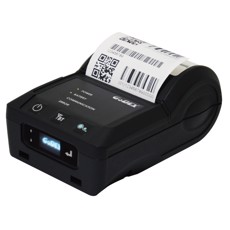
Print resolution is measured in the number of dots the print head can place per inch (2.54 centimeters) of label surface. For a resolution of 203 dpi, this means that exactly 203 dots fit into every inch horizontally and vertically. Converted to more familiar metric units, the density is approximately 8 dots per millimeter. This means that the minimum size of an individual printable dot is 1/203 of an inch, or approximately 0.125 millimeters. This size determines the minimum line thickness a printer can reproduce and the minimum size of barcode or text elements.
A label printer’s print head operates on the principle of thermal printing, whether using direct heating of thermal paper or ink transfer from a ribbon. The head is a thin ceramic plate coated with a series of microscopic resistive heating elements, arranged end-to-end across the entire print width. The number of these elements exactly corresponds to the resolution multiplied by the print width in inches. For example, for a printer with a print width of 4 inches (approximately 104 mm), the head contains 4 x 203 = 812 heating elements. When a label or ribbon is drawn under the head, the printer’s controller selectively applies voltage to the required elements; they instantly heat up to a high temperature (typically 200–300°C), leaving dots on the heat-sensitive coating or melting the ribbon ink, which then adheres to the label. The process occurs line by line, and the entire label is formed from numerous such horizontal lines, one after the other.
It’s important to understand that 203 dpi is the base standard in the world of label printers, and it wasn’t chosen at random. Historically, most barcode symbologies, including the most common ones like EAN-13, Code 128, Code 39, and Interleaved 2 of 5, were designed with a minimum bar width of approximately 0.33 mm, which corresponds to approximately 2.5 dots at 203 dpi. This ensures sufficient robustness for scanning even with minor print deformations or label contamination. Therefore, equipment manufacturers and printing standard developers focused on this density as the minimum required for reliable automatic reading.
Furthermore, 203 dpi resolution enables maximum print speed, as the number of dots that need to be processed and heated per unit of time is significantly lower than with 300 or 600 dpi. Printers with 203 dpi can operate at speeds of up to 350–355 mm/s, while similar models with 300 dpi rarely exceed 203 mm/s. This difference is especially critical for large warehouses and distribution centers, where every second of printing impacts the overall productivity of logistics operations. For example, when printing a batch of 1,000 labels of 100 mm length, every 150 mm/s difference in speed can reduce print time by more than a minute, which translates into significant savings over the course of a day.
Comparing 203 dpi with 300 dpi and 600 dpi
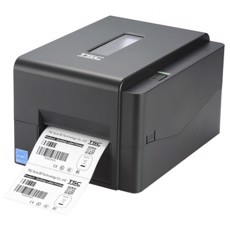
One of the most common questions when choosing a label printer is which resolution to choose. Understanding the differences between 203, 300, and 600 dpi will help you make an informed decision, avoiding both overpaying for unnecessary features and disappointment from insufficient quality for specific tasks. Let’s examine each resolution in detail, weighing the pros and cons.
203 dpi is the absolute leader in popularity and versatility. This resolution provides excellent quality for a wide range of tasks. First and foremost, it prints all linear barcodes: EAN-13, UPC-A, Code 128, Code 39, Code 93, ITF-14, and others. Bars and spaces are crisp and clear, ensuring reliable reading even by mid-priced scanners. 203 dpi also excels at printing large and medium-sized text — 6 points and above. This font size is easily read, and letters don’t blur. This quality is more than sufficient for price tags, warehouse labels, shipping labels, and address labels. 203 dpi also provides maximum print speed, reaching 355 mm/s in industrial models. The cost of equipment and consumables for 203 dpi is also minimal, making this format the most cost-effective.
300 dpi is a step toward increased clarity and detail. This resolution is necessary when specific printing requirements arise. This is primarily the case for printing two-dimensional codes such as Data Matrix, QR codes, and PDF417, especially when they are small in size (less than 10 x 10 mm). At 203 dpi, Data Matrix modules may appear slightly blurry or have jagged edges, which reduces the likelihood of successful reading, especially on glossy materials or when using low-cost scanners. 300 dpi ensures perfectly rectangular modules with sharp edges. 300 dpi is also necessary for printing small text — 4-5 points in size — for example, for medical labels, where the drug composition must be displayed in a limited area. Furthermore, 300 dpi produces a more aesthetically pleasing result: lines become smoother, fonts more elegant, which is important for branded labels in cosmetics or premium food products. However, this comes at the cost of reduced speed — at 300 dpi, it’s typically no more than 203 mm/s — and increased costs for both the printer itself and consumables (ribbon with a thinner coating).
600 dpi is a premium resolution, rarely used and only in highly specialized applications. At this resolution, each square inch contains 360,000 dots, allowing for printing microtext as small as 2-3 points, ultra-fine Data Matrix codes for jewelry or electronic components, and complex graphics with gradients. The main drawback is the very low speed (up to 101 mm/s) and high price. Typical business applications do not require this resolution.
The key takeaway for most users: 203 dpi fully covers the needs of retail, logistics, inventory control, e-commerce, packaging production, and many other industries. Upgrading to 300 dpi is only justified if you clearly understand the need to print small 2D codes on small labels. Unless you work with pharmaceuticals, jewelry, or electronics, 203 dpi is likely the ideal choice.
Printing technologies: thermal and thermal transfer
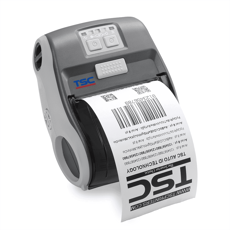
Printers with a resolution of 203 dpi are available in two main technologies: direct thermal and thermal transfer. Each technology has its own characteristics, advantages, and limitations, and the choice between them largely determines the intended use of the device and the consumables required.
Direct thermal printing
Printers of this type work exclusively with special heat-sensitive paper, which has a coating that reacts to heat. As it passes under the print head, selectively heated areas of the coating darken, forming an image. This process requires no additional materials — no ink, ribbon, or toner.
One of the main advantages of direct thermal printing is the low cost of consumables. You purchase only thermal labels, which are typically less expensive than a combination of standard labels and ribbon. Furthermore, refilling the printer is extremely simple – simply insert the label roll and close the lid; there’s no need to wind the ribbon, adjust the tension, or ensure proper alignment. This makes thermal printers an ideal choice for retailers with less technically trained staff. Thermal printers are also typically more compact and lightweight, taking up less space at the checkout counter or in a small office. Finally, they’re typically less expensive to purchase – budget models cost between 5,000 and 10,000 rubles.
However, direct thermal printing also has significant drawbacks. The main one is the short lifespan of the prints. Thermal labels are sensitive to heat, sunlight, friction, moisture, and chemicals. Over time, the image fades, and the paper itself can darken with prolonged heating. The shelf life of such labels is typically 6 to 12 months under normal conditions, but in a harsh environment (for example, in a warehouse with fluctuating temperatures), it can be reduced to just a few weeks. Therefore, thermal printing is only suitable for applications where the labeling does not need to remain durable for a long time: price tags in stores (which change frequently), tickets, temporary stickers, and labels on delivery packages that will be disposed of upon receipt. Another drawback is the limited choice of media: printing is only possible on thermal paper, which is not suitable for outdoor use or contact with oils.
Thermal transfer printing
Thermal transfer printers create images differently. The print head heats a special ink ribbon, melting the ink and transferring it to the label surface. After cooling, the ink is permanently bonded to the material. This allows printing on a wide variety of substrates: plain paper, semi-gloss paper, polyethylene, polypropylene, polyester, nylon, fabric, metallized films, and even special materials for harsh environments.
The main advantage of thermal transfer printing is its high image durability. Depending on the ribbon type and label material, the print lifespan can reach 5 to 10 years. The image is resistant to UV radiation, moisture, temperature fluctuations, chemicals (oils, acids, solvents), and mechanical stress such as friction and scratching. Therefore, thermal transfer printers are used for labeling products that undergo long storage and transportation cycles, for logistics labels in warehouses, for outdoor advertising, and for tags on industrial equipment.
However, this technology also has its drawbacks. In addition to labels, you need to purchase ribbon, which eventually wears out and requires replacement. Loading a ribbon is more complicated than simply inserting a roll of thermal paper – you need to properly wind the ribbon, maintain tension, and select the appropriate type (wax, wax/resin, or resin). Thermal transfer printers are also typically larger and more expensive than thermal printers, and their maintenance requires more skilled personnel. However, for many business applications, this expense is justified by the durability of the labels.
It’s important to note that many modern printers support both technologies. When loaded with ribbon, the printer operates in thermal transfer mode; when the ribbon spool is empty, it automatically switches to direct thermal printing mode. This provides unique flexibility: a single printer can be used for different tasks, changing only consumables.
Where are 203 dpi printers used?
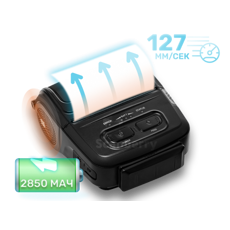
Thanks to their optimal balance of price, quality, and speed, 203 dpi printers are used in a wide range of industries. Virtually every industry that requires applying identification information to products or packaging can utilize these devices with great efficiency.
Retail is perhaps the most common use of 203 dpi printers. They are used to print price tags for shelf affixing or on the product itself. Labels with ingredients, expiration dates, weight, and part numbers are also printed — all of which require good barcode and text readability. Compact models like the ATOL DD120, iDPRT iD888, or GODEX EZ-DT4 fit perfectly into checkout counters, often operate continuously throughout the day, and their high speed allows for rapid customer service. Large supermarket chains also use label printers to print promotional stickers and other promotional materials.
Warehouses and logistics – printers with 203 dpi are indispensable. Warehouses constantly need to print shipping labels for outgoing orders, delivery address stickers, and labels for pallets, racks, and storage bins. Barcodes on these labels must be scanned the first time during receiving and shipping, so print clarity is crucial. 203 dpi ensures reliable scanning even with budget scanners. Speed is also key – distribution centers process thousands of orders per day, and every millimeter saved in print speed adds up to significant time savings. Industrial models such as the Honeywell PM45, Citizen CL-S700III, and iDPRT iT4X-203, with speeds up to 350 mm/s, are the choice of professional warehouse operators.
Online stores and order pickup locations rely on 203 dpi printers to print shipping labels, return labels, and internal accounting labels. Online stores operating on marketplaces often print hundreds or thousands of labels per day, so reliability and high speed are paramount. Popular models include the GODEX EZ-DT4 and ATOL DD340, which easily integrate with order accounting systems.
Manufacturing – In factories and workshops, 203 dpi printers are used to mark finished products, apply serial numbers, production dates, and part numbers to packaging. Thermal transfer printers allow printing on synthetic materials that are resistant to oil and high humidity, which is especially important in the food, chemical, and mechanical engineering industries.
In the service and HoReCa industries (hotels, restaurants, cafes), 203 dpi printers are used to print receipts, invoices, staff badges, event tickets, and passes. The Epson TM-T20IV, for example, is a popular choice due to its compact size and 250 mm/s printing speed, allowing for quick customer service.
Medical and pharmaceuticals – although 300 dpi is sometimes required for small Data Matrix codes, many labels (drug name, dosage, expiration date, batch number) print perfectly at 203 dpi. This is especially true for large labels and non-detailed information.
Thus, virtually every industry that requires barcodes and text information on products can find use for a 203 dpi printer. This makes it the most versatile format on the market.
How to choose a 203 dpi label printer

Choosing the right model from the many options on the market can seem like a daunting task, but breaking it down into sequential steps and assessing your actual needs makes everything much easier. Below is a detailed selection process to help you avoid making the wrong purchase.
Determine the printing technology
The first and most important decision is what type of printing you need: direct thermal or thermal transfer. Ask yourself: how long do you want the printed label to last? If the shelf life is up to 6-12 months and storage conditions are normal (room temperature, out of direct sunlight), then go with thermal printing. This will save you money upfront and simplify maintenance. However, if the label will be exposed to heat, cold, moisture, chemicals, or needs to be stored for years (for example, for archiving or warranty purposes), then thermal transfer is a must. Thermal transfer is also essential if you’re printing on synthetic materials (polyethylene, polypropylene) – thermal paper simply won’t work on them.
Estimate the required print volume and speed
Daily print volume is a key parameter determining the printer class. If you print up to 500 labels per day (small store, pickup point), then budget models with a speed of 100-127 mm/s are quite sufficient. For a workload of 500-2,000 labels per day (average retail store, online store warehouse), a speed of 150-200 mm/s is required. Mid-range models, such as the ATOL DD340 (203 mm/s), perform excellently. If your daily volume exceeds 2,000 labels (wholesale warehouse, manufacturing), choose industrial models with a speed of 250 to 355 mm/s. Remember that speed is measured in millimeters per second, and to convert to labels per minute, you need to know the label length. For example, at a speed of 200 mm/s and a label length of 50 mm, you can print 4 labels per second, i.e. 240 labels per minute.
Check the print width
The print width should match the maximum width of your labels. The standard size for most models is 104–108 mm, which is sufficient for labels measuring 100x70 mm or 102x152 mm. However, narrower printers (up to 48–57 mm) are also available for receipts and small price tags. Choose a model with some leeway: if you use 80 mm-wide labels, a printer with a 108 mm-wide width is fine, but the opposite is unacceptable.
Evaluate the connection interfaces
Consider how the printer will connect to your system. A USB Type-B port is the basic option; everyone has one. If the printer needs to work on a local network with multiple computers, an Ethernet (RJ-45) port is required. For printing from mobile devices (tablets, smartphones in the store), choose models with Bluetooth or Wi-Fi. Some printers are equipped with an RS-232 (COM port) for connecting to industrial controllers or older POS systems. An OTG port is also available for directly connecting flash drives.
Consider support for command languages
If your business uses an automated accounting system (WMS, ERP, 1C), the printer must understand the command languages used by the system to generate print jobs. ZPL II (Zebra Print Language) is the most common in logistics and warehouse management; it is supported by virtually all modern models. Also popular are TSPL (TSC Print Language), EPL2 (outdated but still in use), and DPL (Datamax). The more languages a printer supports, the easier it is to integrate it into your infrastructure without having to redesign label layouts.
Review the consumables
For thermal printers, find out the maximum supported roll diameter, label width, and core diameter. Make sure your consumables supplier offers labels of the required size. For thermal transfer models, the ribbon winding type (IN or OUT) and core width are important. For example, the ATOL TT42 requires a 110 mm core and OUT winding. A mismatch will result in the ribbon not being installed or printing on the reverse side of the ribbon.
Think about the future
If you plan to expand, increase production volumes, or switch to mandatory "Chestny ZNAK" labeling, it’s best to choose a model with more performance headroom and perhaps 300 dpi support (if you plan to use small Data Matrix labels). While 203 dpi is sufficient for most labeling applications, some regulators recommend 300 dpi for ultra-small labels. However, if your labels are standard size (40x30 mm and above), 203 dpi is quite sufficient.
Popular 203 dpi printer models
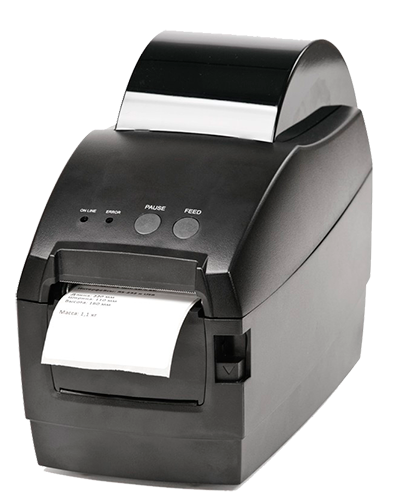
There’s a wide selection of 203 dpi printers on the market from various manufacturers. Below is an overview of the most popular models, categorized by price range and features.
Budget models (up to 10,000 rubles)
The ATOL DD120 is one of the most affordable thermal printers for small businesses. It’s compact, lightweight, and takes up little desk space. Its print speed is 100 mm/s, sufficient for light workloads (up to 500 labels per day). Its maximum print width is 48 mm, making it suitable for narrow labels and receipts. Interfaces include USB Type-B and Ethernet, and an optional Bluetooth module for printing from mobile devices. Price: approximately 5,200–6,300 rubles. It’s an excellent solution for a small store or pickup location.
The ATOL BP21 is another budget model from the same manufacturer. It has a print width of 54 mm and a speed of 127 mm/s, making it slightly faster than the DD120. It features USB and RS-232 interfaces, allowing you to connect the printer to a cash register. It also costs around 5,000–6,000 rubles.
The iDPRT iD888 is a budget thermal printer with more advanced features. It supports a speed of 203 mm/s and a print width of up to 118 mm, putting it on par with mid-range models. It supports ZPL-II, TSPL, DPL, and EPL-2 command languages, simplifying integration. It features 32 MB of RAM and 128 MB of flash memory, allowing for storing fonts and logos. It costs approximately 9,000–10,000 rubles.
Universal models (10,000 – 30,000 rubles)
The BSmart BS460T is a thermal transfer printer, but can also operate in thermal mode. It has a print width of 104 mm and a speed of 152 mm/s. It supports USB and Ethernet interfaces, and supports ZPL and other languages. Price: approximately 11,660 rubles. It’s a good choice for small businesses already using synthetic labels.
The GODEX EZ-DT4 is a very popular model in its segment. It supports both thermal and thermal transfer printing. It has a print width of up to 104 mm and a speed of 100 mm/s (may be higher for thermal transfer printing). It features a movable black mark sensor, allowing printing on labels with non-standard mark placement. Price ranges from 12,000 to 15,000 rubles.
The ATOL DD340 is a modern thermal printer that replaces the legendary BP41. It offers speeds up to 203 mm/s, a print width of 108 mm, and a length of up to 1296 mm. It features 128 MB of flash memory and 32 MB of RAM, and supports ZPL II, EPL2, TSPL, and DPL. USB and Ethernet interfaces are available, with Bluetooth optional. Priced at approximately 15,000–18,000 rubles, it offers excellent price/performance for mid-sized businesses.
The iDPRT iT4X-203 is a thermal transfer printer with thermal mode capability. It offers speeds up to 152 mm/s, a print width of 104 mm, and memory of 32/128 MB. It supports three ribbon types (wax, wax/resin, and resin). It is available with USB, Ethernet, RS-232, and optional Wi-Fi and Bluetooth. Price ranges from 20,000 to 25,000 rubles.
Industrial models (from 30,000 rubles)
The Honeywell PM45 is a powerful thermal transfer printer with a metal frame and print speeds up to 350 mm/s. It has a print width of 104 mm and supports all popular command languages. It is designed for 24/7 operation in the harshest warehouse or manufacturing environments. Price: approximately 80,000–100,000 rubles.
The Citizen CL-S700III is a versatile printer supporting direct thermal printing and thermal transfer. It offers print speeds up to 254 mm/s and a width of 104 mm. It features a large LCD display and intuitive menus. The print head lasts up to 100 km. It costs approximately 50,000–70,000 rubles.
Consumables for 203 dpi printers

Selecting the right consumables is just as important as choosing the printer itself. Poor-quality labels or ribbon can lead to rapid printhead wear, reduced print quality, and frequent failures. Let’s look at the main types of consumables and their characteristics.
Thermal labels
Thermal labels are paper with a heat-sensitive layer that darkens when exposed to heat. They vary in several ways:
- Coating type: standard (for short-term use) and reinforced (increased durability, moisture and grease resistance). Reinforced labels are used in the food industry and logistics.
- Format: roll (the most common) and sheet (for office printers, but for label printers, roll is almost always used).
- Gap or black mark presence: A gap is the space between labels on the backing, used to define the label’s boundary. A black mark is a special rectangular black mark on the backing used in some printers for positioning.
- Core diameter and roll outer diameter: must match your printer’s specifications. For example, for the ATOL DD340, the roll outer diameter should not exceed 127 mm, and the core diameter should be between 12.7 and 76 mm.
- Width: from 15 mm to 118 mm or more. Choose according to the print width of your printer.
High-quality thermal labels from reputable brands (e.g., Avery Dennison, UPM Raflatac) provide consistent quality, high contrast, and extended print head life. Cheaper alternatives may contain abrasive particles that scratch the head or have an uneven coating, leading to skips.
Ribbon (ink ribbon)
Thermal transfer printers require a ribbon. It consists of a thin polyester film coated with an ink layer on one side. Ribbons are divided into three main types based on the ink composition:
- Wax inks are the most affordable and common. They are used for printing on regular paper and cardboard. They provide good abrasion resistance but are not resistant to moisture and chemicals. They are suitable for logistics labels and price tags with a service life of up to one year.
- Wax/Resin is a versatile option. It contains a blend of wax and synthetic resin, which increases resistance to moisture, grease, and temperature. It can be used on semi-gloss and synthetic paper. It lasts up to 2-3 years.
- Resin inks are the most durable. They are used for printing on synthetic materials (polyethylene, polypropylene, polyester) in harsh environments. They are resistant to acids, solvents, UV light, and mechanical damage. They have a service life of up to 10 years. They are the most expensive.
When choosing a ribbon, it is also important to consider:
- Winding type: IN (ink layer inside the roll) or OUT (outside). This is critical – if you mix it up, you won’t be able to thread the ribbon or you’ll get a mirror image.
- Width: Should be equal to or slightly larger than the label width. If the ribbon is narrower than the label, the edges of the label will remain unprinted.
- Length: Depends on the outer diameter of the ribbon roll supported by your printer. For example, for the ATOL TT42, the maximum ribbon length is 74 meters, although the instructions state 100 meters. This is because different manufacturers use different thicknesses of backing, and only 74 meters can actually fit.
Print head resource
The print head is a consumable component that wears out over time due to friction with the paper and ribbon, as well as thermal cycles. The print head’s lifespan is measured in kilometers and varies by printer model. For example, the ATOL TT42 has a lifespan of 50 km, while industrial models can last up to 100 km or more. Replacing a print head typically costs between 5,000 and 20,000 rubles, so it’s important to use high-quality consumables and regularly clean the print head of dust and adhesive residue to extend its lifespan. Many manufacturers recommend wiping the print head with isopropyl alcohol after each roll or ribbon change.
Setup and calibration
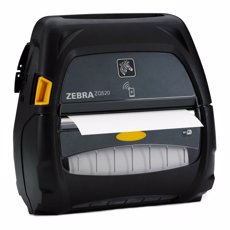
Proper printer setup is essential for stable operation and high print quality. This process includes installing drivers, calibrating sensors, selecting media parameters, and adjusting the print position.
Installing drivers
The driver installation process is standard for all models. First, download the latest driver from the manufacturer’s official website or use the included disc. Then, connect the printer to your computer via USB or find it on your local network if it’s connected via Ethernet. Run the installer and follow the instructions. After installation, the printer should appear in the "Devices and Printers" section. It is also recommended to install additional software to configure print settings (such as the Atol Print Manager utility for ATOL devices).
Printer calibration
Calibration is the process by which the printer determines the precise position of the label on the substrate. Without calibration, the printer may misalign the image, print across a gap, or generate sensor errors. Calibration is especially important when changing a roll of labels of a different size or type.
There are two main methods of calibration:
- Automatic – press and hold the Feed button for a few seconds until the indicator light starts flashing in a specific pattern (usually described in the manual). The printer will automatically feed several labels, measure the distance between them, and save the data.
- Manual – via software or the printer menu (if equipped with a display). Allows you to manually set parameters such as label length, gap position, backing thickness, etc.
After calibration, we recommend checking that the printer detects the borders correctly by printing a test label (usually a button combination). If the image is misaligned or cropped, repeat the calibration.
Conclusion
Label printers with a 203 dpi resolution are the optimal solution for the vast majority of business tasks: from printing price tags in a small store to labeling thousands of items in a warehouse. They deliver excellent barcode and text quality at maximum speed and minimal equipment cost. A wide selection of models — from budget thermal printers to industrial thermal transfer devices — allows you to find a device to suit any volume and requirement. This is why 203 dpi label printers remain the most popular format in the label and barcode printing market.