How to Make a Drawing from a Photo:
Step-by-Step Instructions
 Automatic translate
Modern apps and neural networks make it possible to stylize an ordinary photograph into a sketch, watercolor painting, or slate drawing. In this article, we’ll explain how to turn a photo into a drawing and which services can help.
How to turn a photo into a drawing on a computer
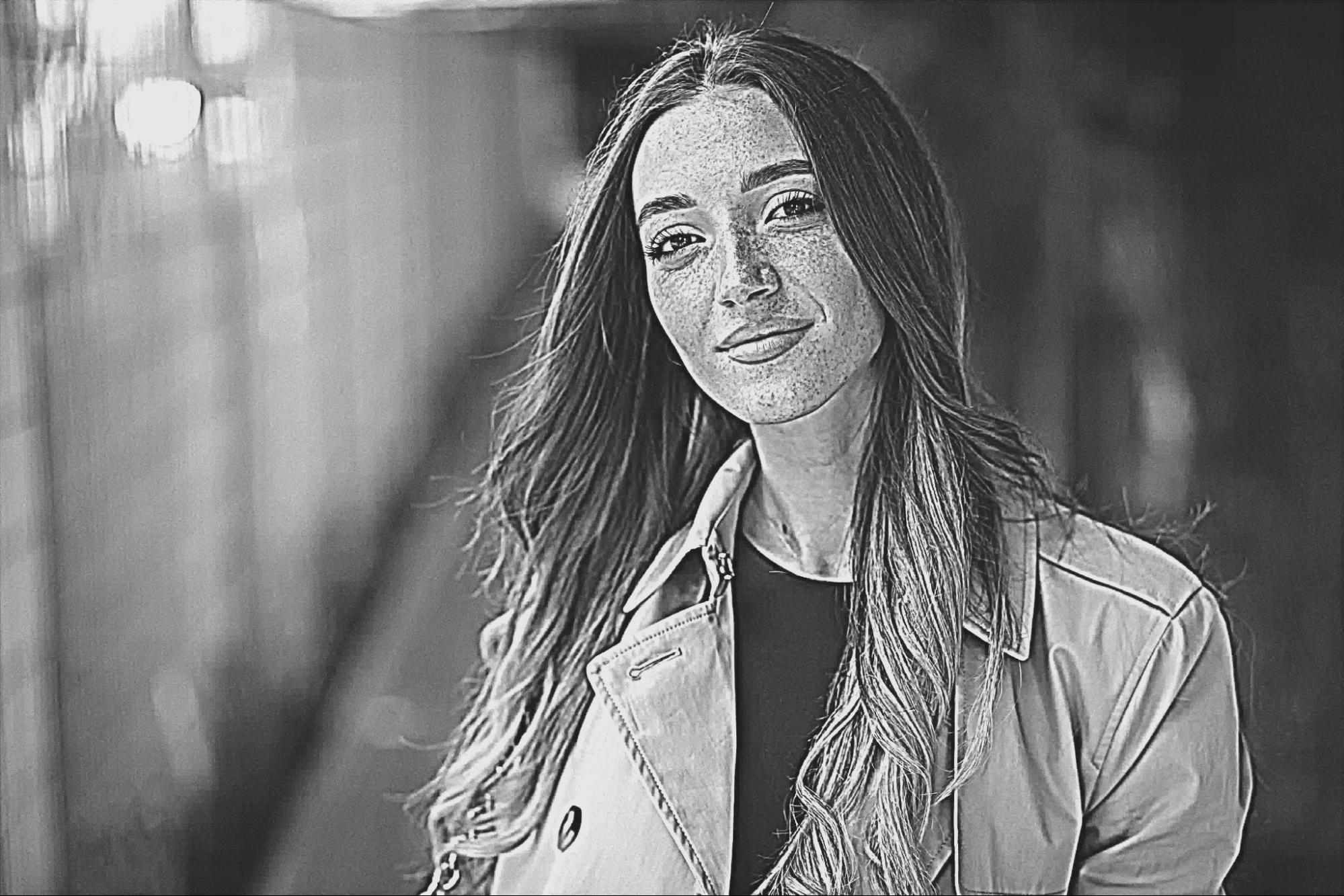
PC programs offer more features than web services, such as manual adjustments to the selected style and a range of image enhancement options. Unlike online services, they allow you to process high-resolution images without loss of quality, as well as fine-tune saturation and contrast. Using PhotoMASTER as an example , we’ll show you how to transform a standard portrait into a pencil sketch.
Step 1: Download and open the software
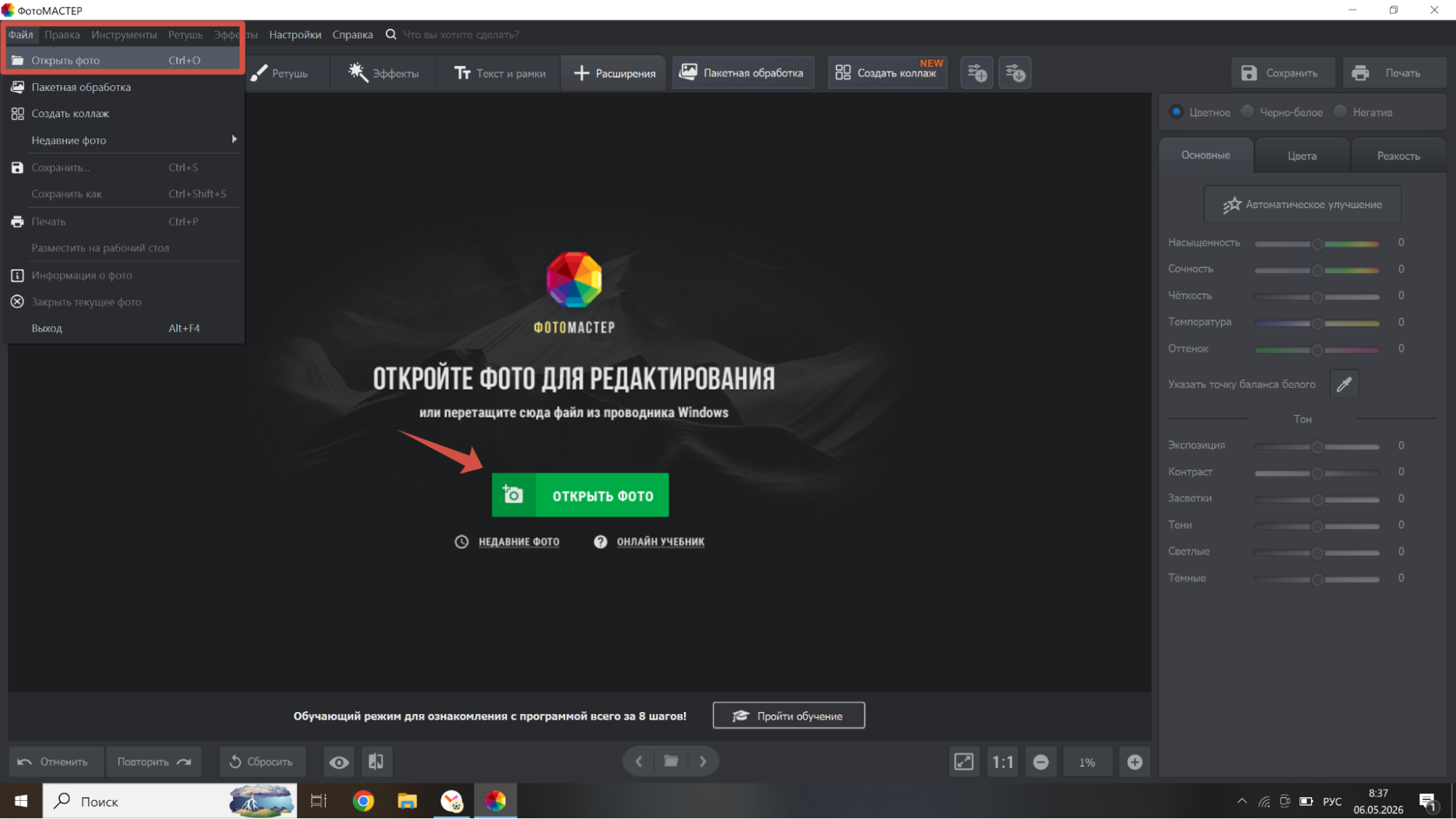
Download the photo-to-drawing program from the official website and launch it. Drag the image into the workspace or use the command of the same name in the "File" tab at the top.
Step 2: Convert your photo to black and white
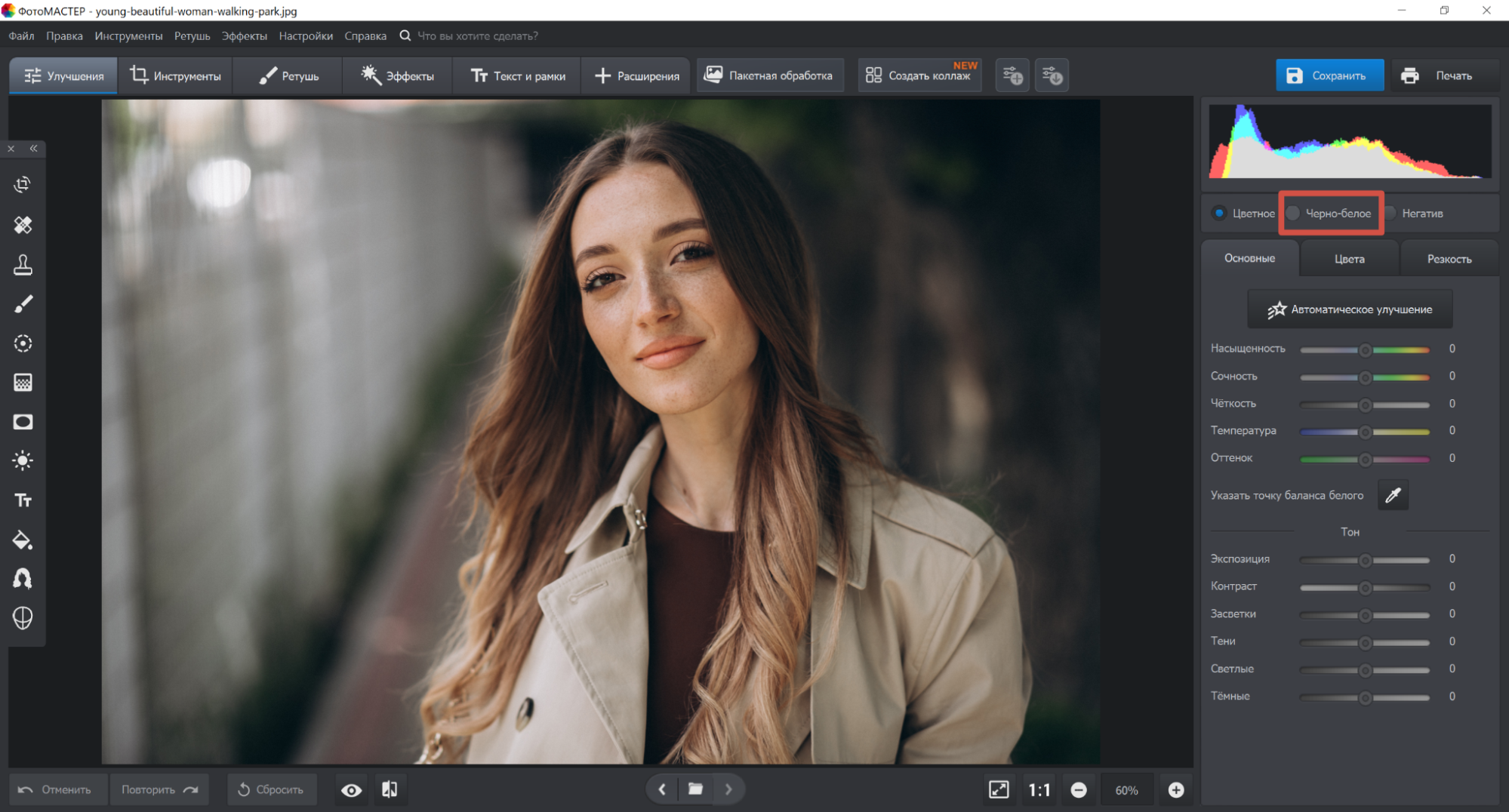
To transform a simple portrait into a sketch, desaturate it. Check the "Black and White" box.
Step 3: Adjust the sharpness
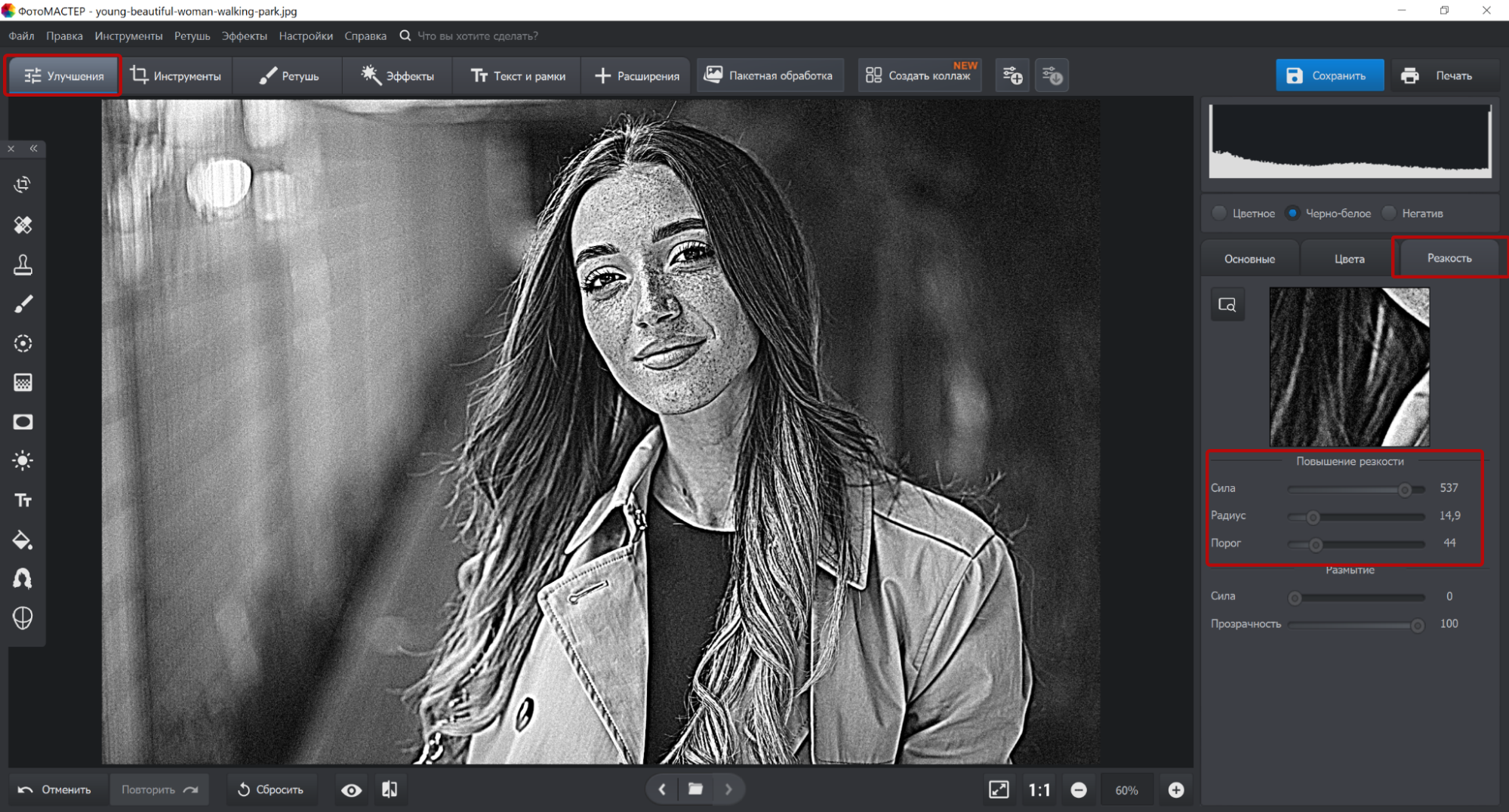
To edit sharpening, go to the sharpening section. Manually increase the three parameters — strength, radius, and threshold. Move the sliders to achieve a contoured image from the photo.
Step 4: Remove noise
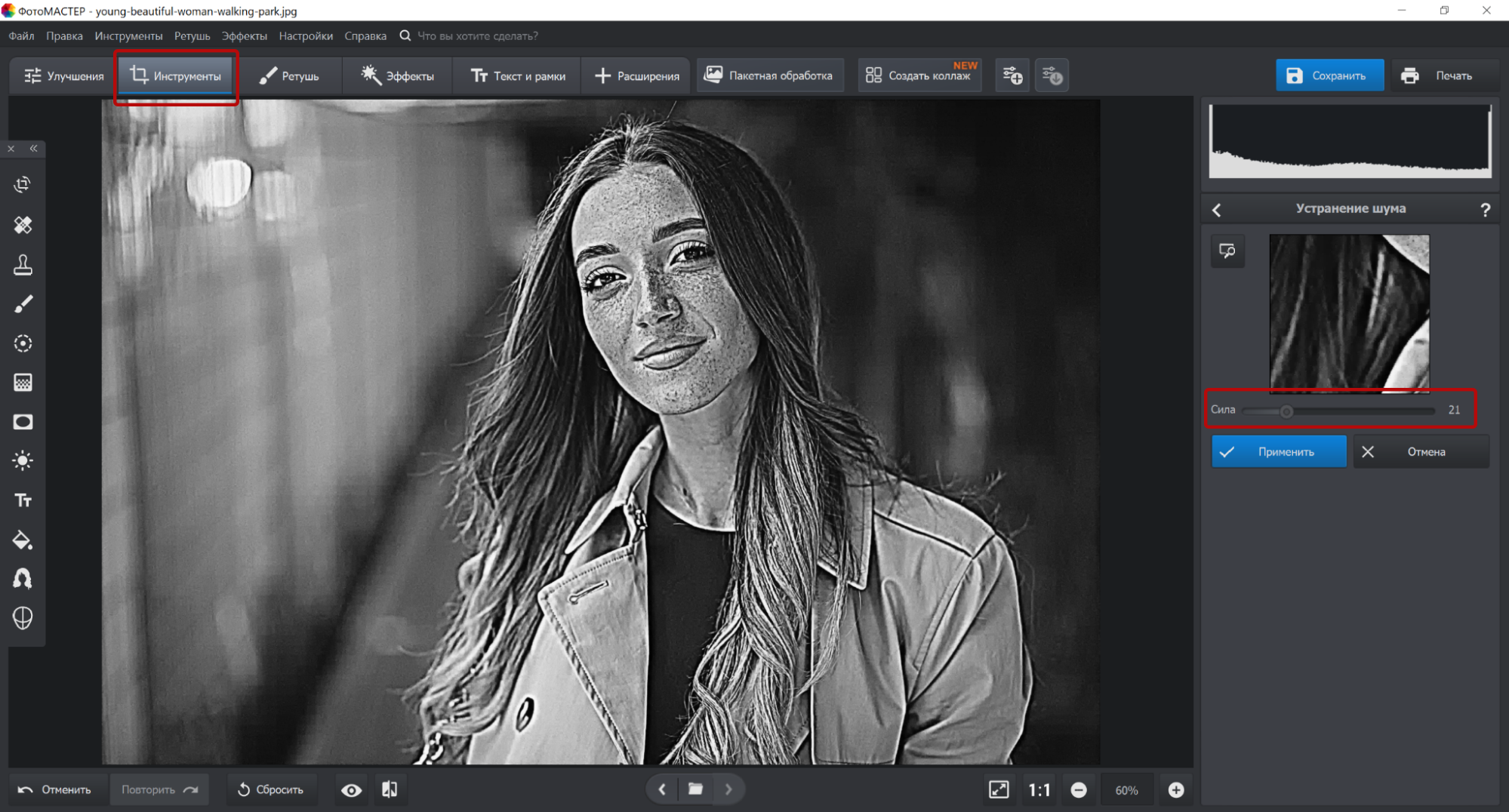
Open the "Tools" tab and select "Photo Noise Removal." This will remove fine speckles and smooth out the surface slightly. Don’t push the slider all the way to the maximum; leave a slight graininess. This texture adjustment will help make the sketch look cleaner.
Step 5: Adjust Curves
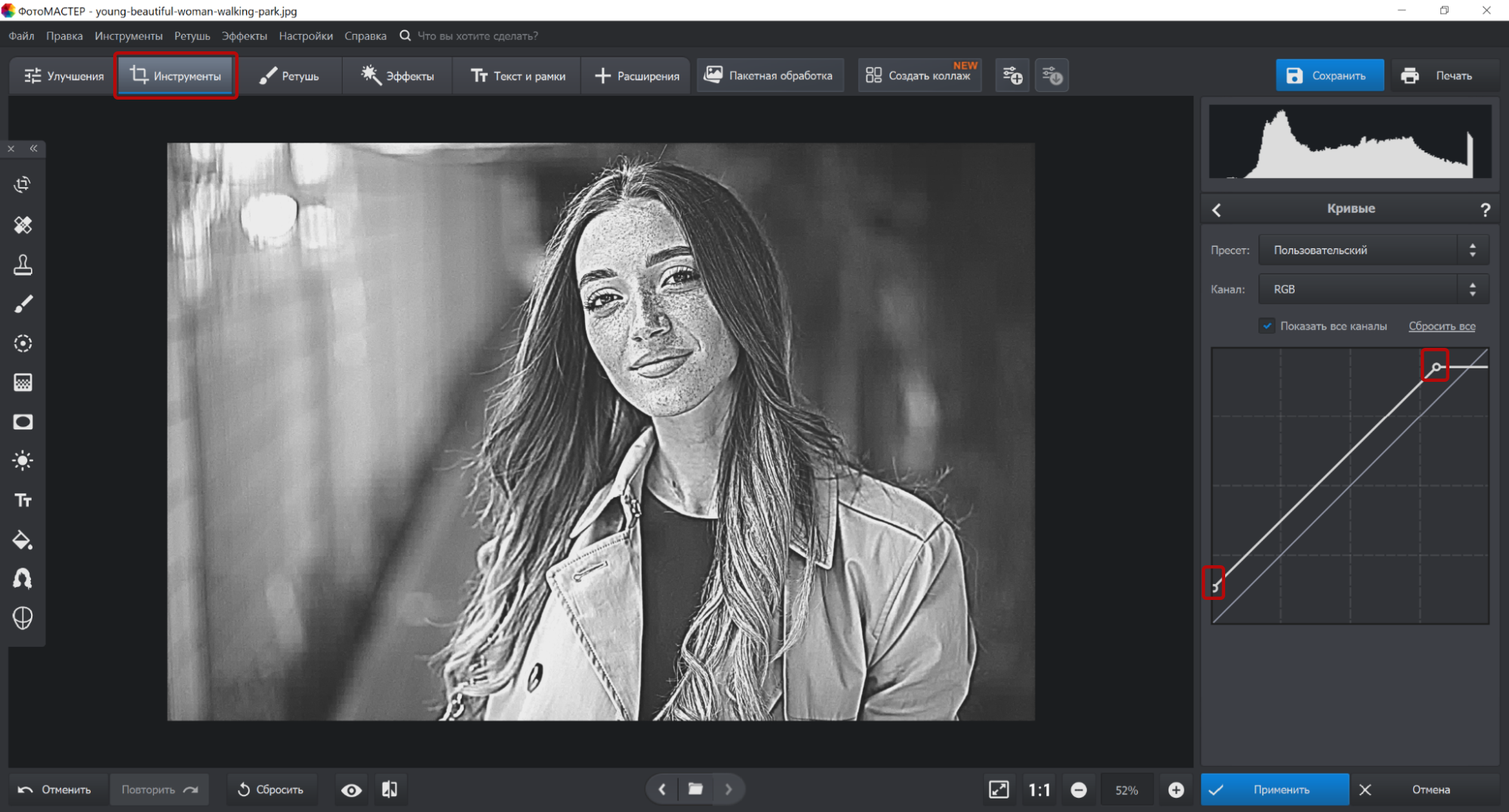
In the "Tools" section, click the "Curves" button. On the graph, move the black point up so the dark color appears blended. Move the white point slightly down along the vertical line, then move it perpendicularly to the side.
Step 6. Save the result
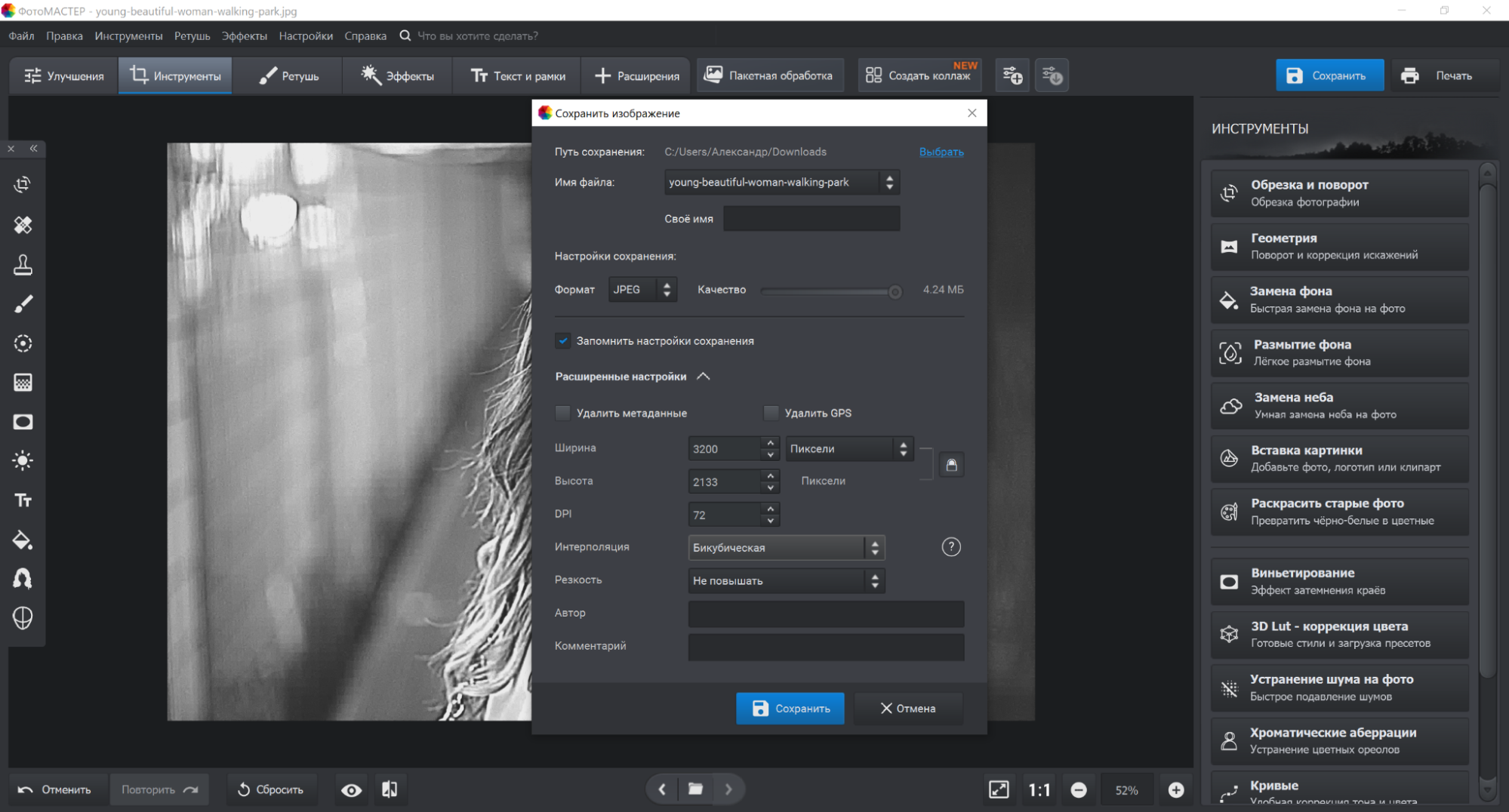
Click the "Save" or "Save As" button in the "File" section. Specify a name and folder for the export. Select the format — JPG, PNG, TIFF, or BMP. Move the slider to adjust the quality of the outline image and further adjust the sharpness.
How to turn a photo into a drawing online
To transform a regular selfie into a drawn image, you can use web services. Using these editors doesn’t require a powerful computer, as online tools are available on almost any device and can be accessed through popular browsers. They offer a wide selection of ready-made effects and are translated into Russian. In this section, we’ll show you how to turn a photo into a drawing using Fotor.
Step 1: Go to the website
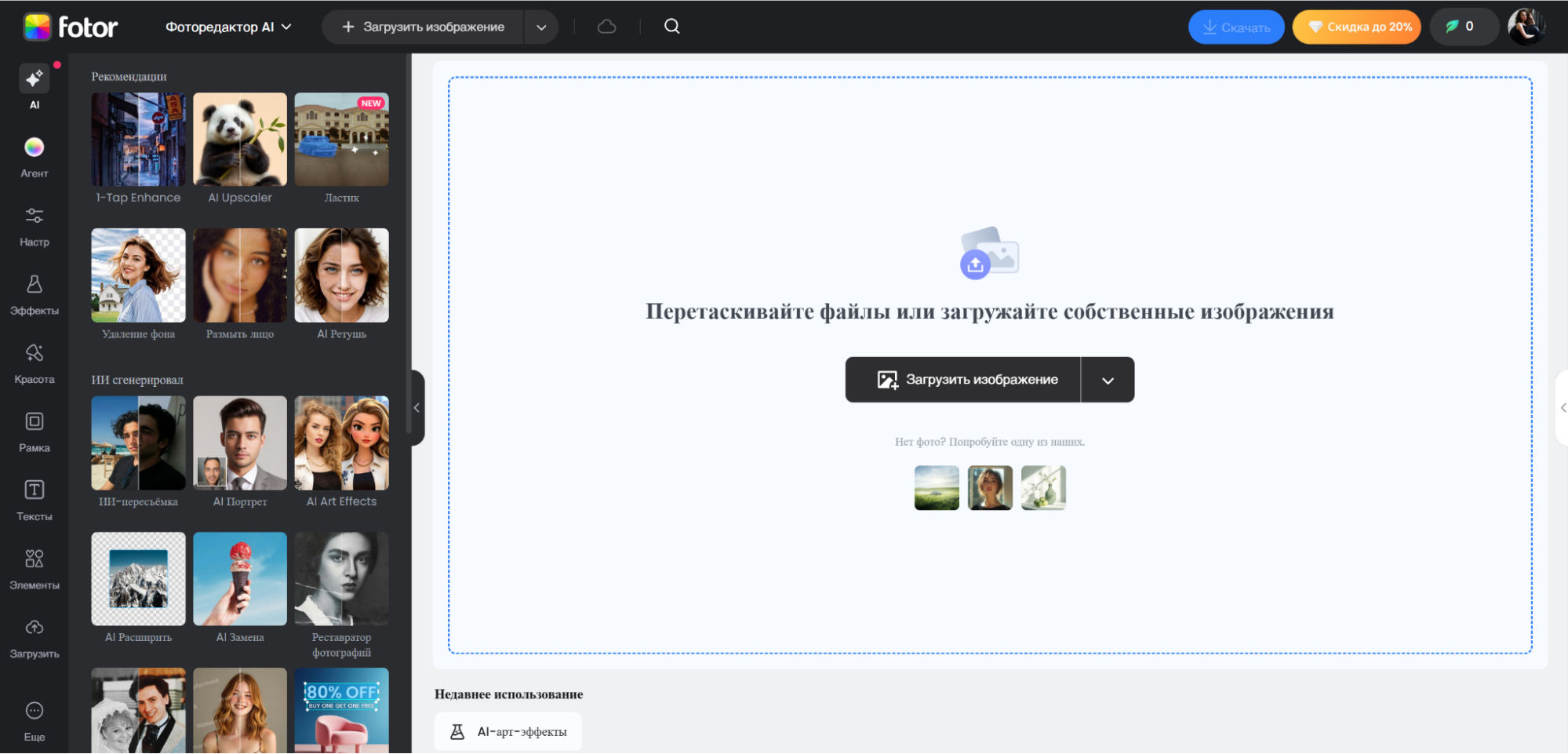
Open your browser and visit the official website. No registration is required to get started. Upload an image from your computer, smartphone, or cloud storage.
Step 2: Select an AI effect
Go to the Smart Tools section on the left side of the work menu. Expand the "Artistic Effects" section and click the one you like. The service’s gallery features popular effects, such as watercolor, line, and anime styles. Using a neural network, you can transform your source image into the styles of popular artists, such as Monet, Caravaggio, Van Gogh, Picasso, and others.
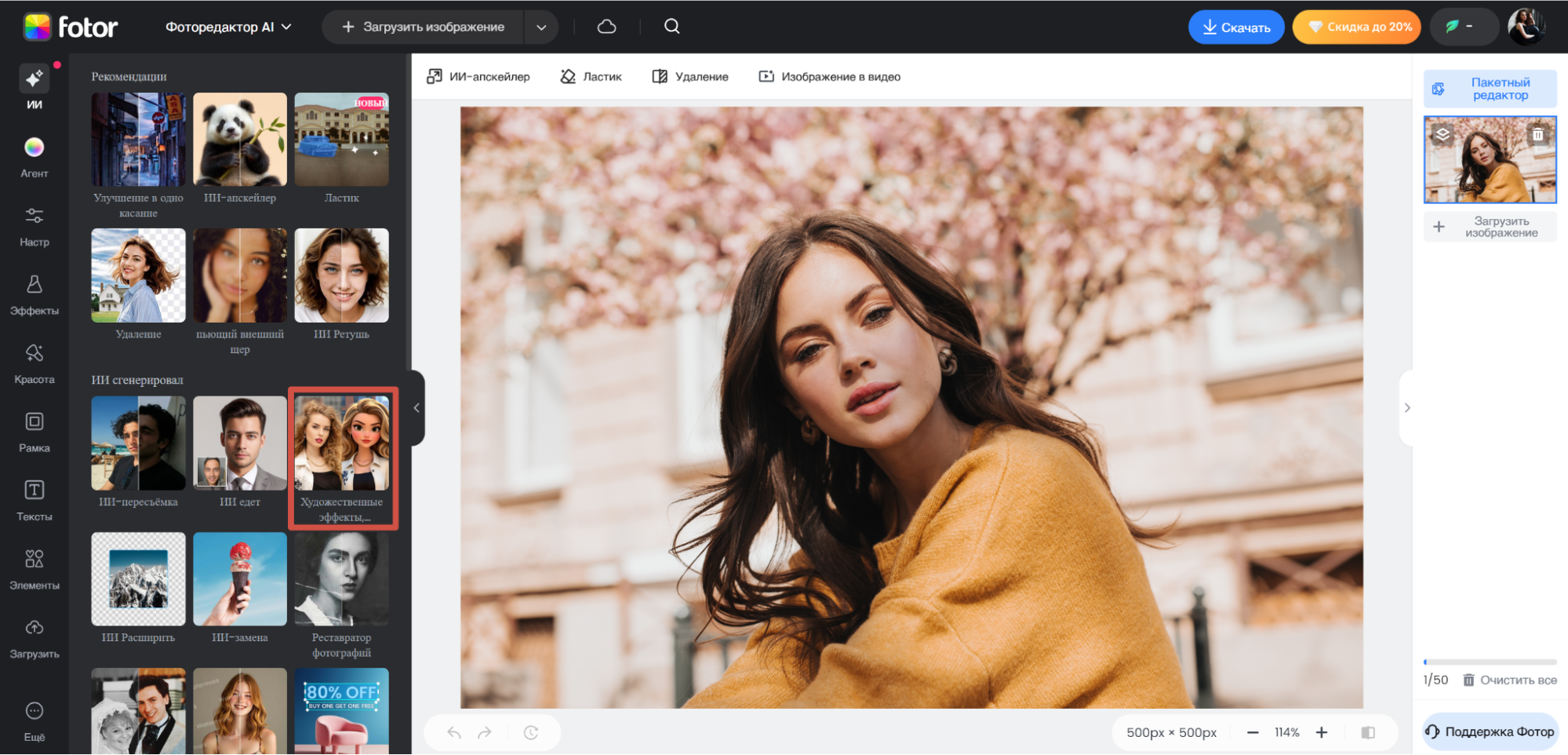
Step 3: Generate an image
Click on the effect you like and wait for it to finish generating. If desired, you can rework the image by running the conversion process again.
Шаг 4. Скачайте портрет
 Шаг 4. Скачайте портрет
 Экспортируйте готовый вариант, укажите имя файла и формат — PNG или JPG. Для того чтобы сохранить иллюстрацию в высоком качестве без ватермарки, потребуется платная подписка.

Tips to make the result look better
Understanding how to transform a photo into an image that will wow your followers requires more than just clicking a preset style. It’s important to prepare your source material and learn a few artistic tricks.
1. Adjust the lighting and contrast. Photos with pronounced shadow contrast look most effective. Try to choose shots where the subject is well-lit and the background is uncluttered.
2. Specify the resolution. For printed work, use high-quality source files. When enlarging a small image to a large format, every pixel will become visible, which will ruin the impression of the work.
3. Use images that are not overloaded with details. Portraits against a monochromatic background or minimalist still lifes are processed by algorithms much more effectively than noisy photos with a lot of small details.
4. Correct the colors. Before applying an artistic effect, adjust the white balance and saturation. Remove excess "yellowness" or "blueness" to make the final lines and strokes appear cleaner.
5. Experiment. Algorithms that "draw" landscapes in a uniform style perfectly can look terrible on portraits. Try different filters and don’t be afraid to adjust the settings. Unlike vector images, each pixel is processed individually.
Frequently asked questions
How to create a pencil drawing effect?
To create a soft-pencil-style image, use the "Sketches," "Sketch," or "Pencil" filters. Most online editors and mobile apps that convert photos into drawings offer presets.
In advanced programs, you should further adjust the parameters: increase the contrast to 80-90% and reduce the color saturation to obtain a black and white image. Duplicating the layer, desaturating it, and inverting it, followed by applying Color Dodge blending and Gaussian Blur, also works well. This technique can create a classic sketch-like look.
Which method gives the most realistic result?
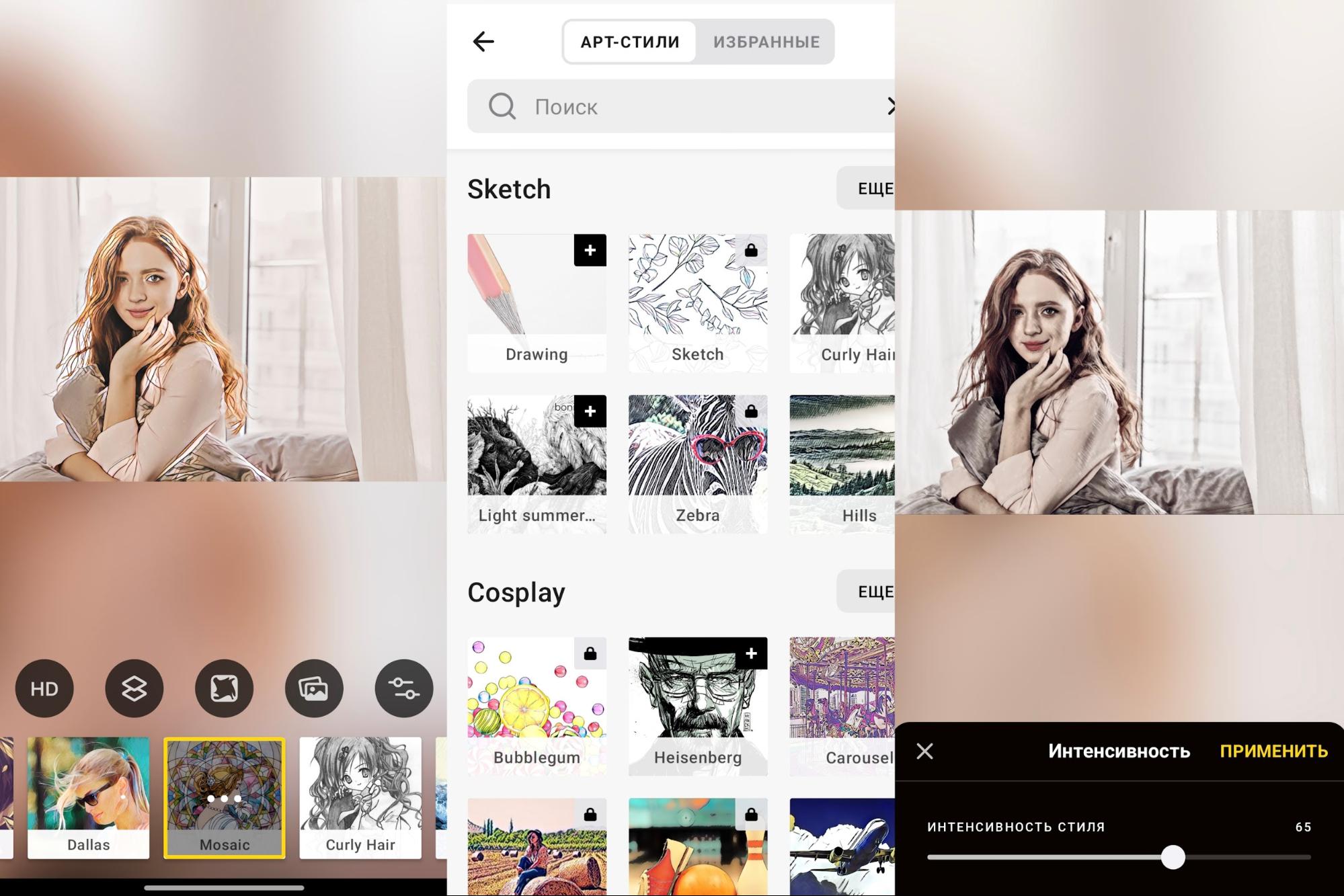
Images are most vibrant and hand-painted after processing in programs with a built-in neural network. For example, Prisma algorithms analyze the brushstrokes and texture of real works of art, rather than simply applying contrasting strokes. Desktop editors allow you to adjust line thickness, contrast, and shading.
Is it possible to make a drawing from a bad photo?
Yes, it’s possible. If the original frame is low-resolution, noisy, or blurry, stylization can help conceal these imperfections. For example, watercolor can blur rough edges, while a pencil sketch can make the illustration look hand-drawn. However, it’s important to remember that software is better at recognizing key objects in high-quality photos, so if there’s severe distortion, the result may be far from realistic.
Is it possible to make a color drawing from a photo?
Yes, you can. Most tools offer color stylization options, not just black and white. You can choose from the "Oil," "Watercolor," or "Pastel" effects, which preserve the original color palette but rework its structure to suit the genre.
Some neural networks can colorize black-and-white photos, adding realistic hues based on the analysis of millions of other images. Furthermore, in more sophisticated programs, you can leave the result monochrome but assign any color to the resulting lines, for example, making them colored or sepia-toned to simulate aged paper.
- Как сделать точный (подробный) рисунок
- Рисунок
- Художественный рисунок
- Как сделать домашнее задание быстро: 10 рабочих способов
- “Подсолнухи” Ван Гога могут быть восстановлены в первоначальном цвете
- Рисунок пером и тушью
- Люсьен Фрейд: художник-рисунок, художник-портретист
- Венецианский рисунок: рисунки эпохи Возрождения в Венеции
- В Париже обнаружен неизвестный рисунок Леонардо да Винчи